ai - 编程工具 - 腾讯 code buddy
访问量: 79
refer to: https://copilot.tencent.com

安装方式:
1. 安装vscode. https://code.visualstudio.com/docs/?dv=win64user
2. 打开VS code,如下图,直接安装该插件即可。
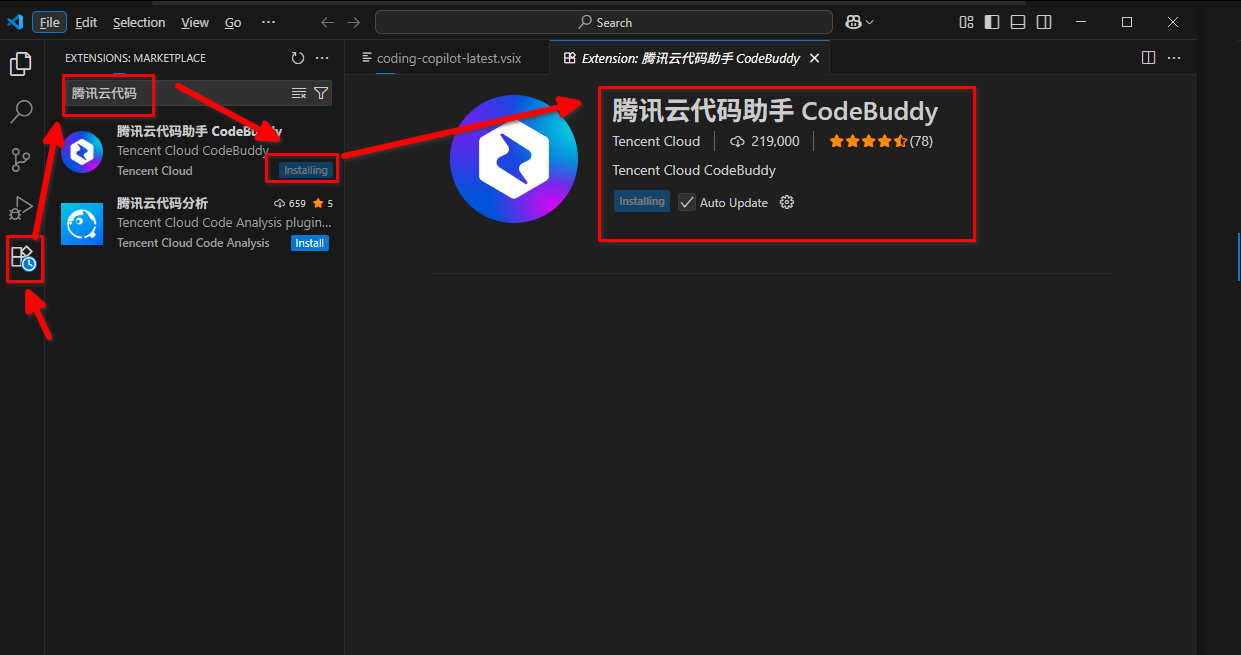
运行后,需要用 google , github账号登录,无法直接登录。
我选择了用 google登录,结果给我跳转到了 localhost: http://127.0.0.1:63782/signin?nonce=m8+xssS2VDqi4QqO2JPbrg==
而且无法打开(翻墙之后也无法打开)可能是我的梯子有问题吧。
仍然无法登录(网络问题)
到此,该尝试停止。