使用 chrome custom tabs 来替换Android 原生的webview
访问量: 4497
refer to: https://github.com/GoogleChrome/custom-tabs-client
和这里: https://www.youtube.com/watch?v=QOxIdbNwpx0&feature=youtu.be 一个印度工程师解释 这个东东有多牛. 好吧, 你的 口音 歪理歪理good.
总之,性能是大大的好, 而且还能提前下载一些东东? ( 提供了 warmup 函数, 可以预先解析DNS... ) 比较强大.
先上个动图,比较一下Android 中的 webview的各种时间:
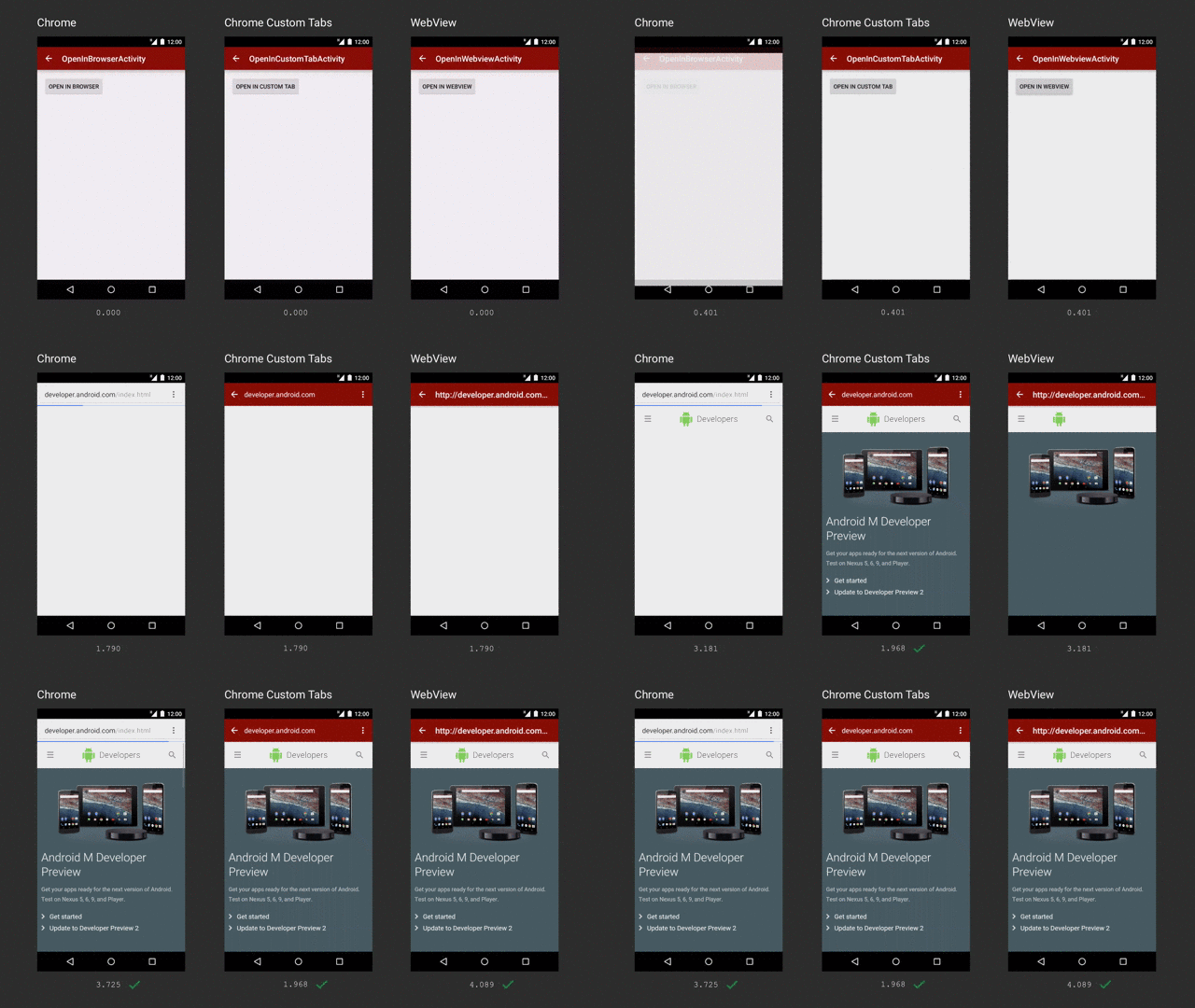
1. 先下载 官方提供的 Demo:
$ git clone https://github.com/GoogleChrome/custom-tabs-client.git
这个项目下载好后, 会发现它有4 个文件夹: (阅读 Using.md 这个文件:)
demos: 一些demo. 使用Android Support Library 实现Custom Tab.
shared: 该目录下的代码被 demos 和 Application 目录所公用.
customtabs: Android Support Library的替代库. 如果要使用它的话, 就不要使用 Android Support Library.
Application: 还是一些例子(Example code )
2. 向 app/build.gradle 文件增加以下内容:
apply plugin: 'com.android.application'

android {
    compileSdkVersion 23           // 如果这里的版本号是 24, 下面的  customtab的版本号也要变.
    buildToolsVersion "23.0.3"

    defaultConfig {
        applicationId "me.siwei.androidwebview"
        minSdkVersion 19
        targetSdkVersion 23
        versionCode 1
        versionName "1.0"
    }
    buildTypes {
        release {
            minifyEnabled false
            proguardFiles getDefaultProguardFile('proguard-android.txt'), 'proguard-rules.pro'
        }
    }
}

dependencies {
    compile fileTree(dir: 'libs', include: ['*.jar'])
//    compile 'com.android.support:appcompat-v7:24.1.1'

    // 下面两行的 版本号 23.2.0 也很关键. 这个对了, 才有 下面第三航的 23.3.0.
    compile 'com.android.support:appcompat-v7:23.2.0'
    compile 'com.android.support:recyclerview-v7:23.2.0'
    compile 'com.android.support:customtabs:23.3.0'     // 这行内容是关键. 这里定义了 customtabs.
}
..