nextcloud - 通过docker安装 all in one aio
访问量: 81
refer to:
https://github.com/nextcloud/all-in-one#how-to-use-this
1. 弄个海外的主机。 国内用不了docker
2. sudo apt update
3. curl -fsSL https://get.docker.com | sudo sh
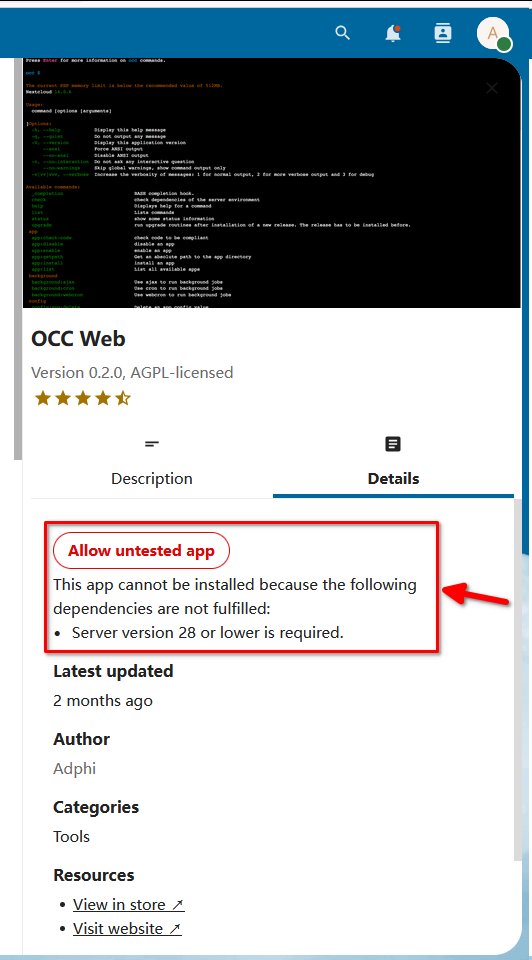
4. 可以选择最新的,但是不推荐,因为一些插件不支持最新的(30) 建议 20 < ? < 28
sudo docker run \
--init \
--sig-proxy=false \
--name nextcloud-aio-mastercontainer \
--restart always \
--publish 80:80 \
--publish 8080:8080 \
--publish 8443:8443 \
--volume nextcloud_aio_mastercontainer:/mnt/docker-aio-config \
--volume /var/run/docker.sock:/var/run/docker.sock:ro \
nextcloud/all-in-one:latest
上面的步骤安装后,就可以访问了: you_ip:8080
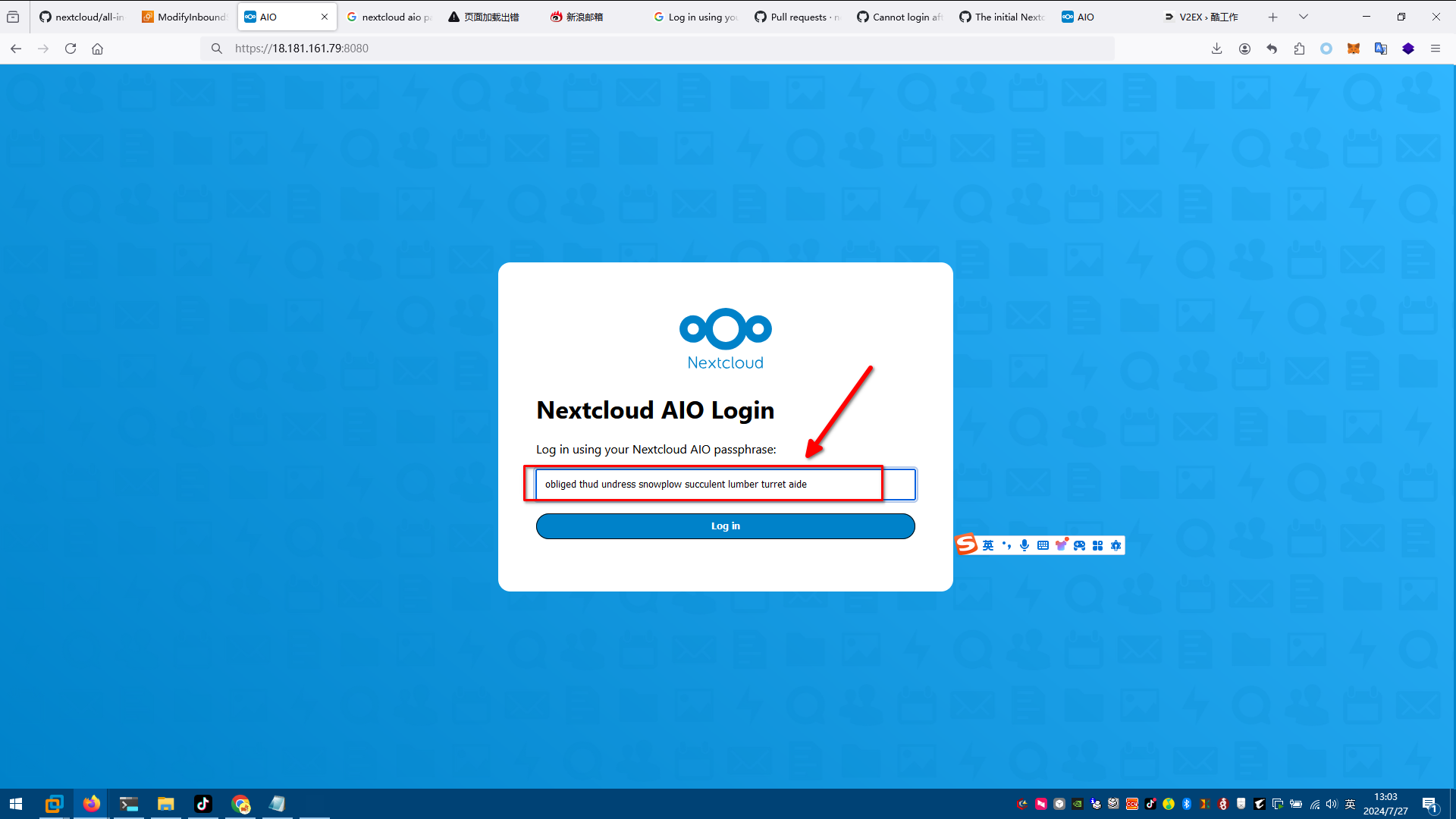
5. 需要密码:
注意:该密码来自于docker中的配置文件:/mnt/docker-aio-config/data/configuration.json
7d86319f4b20:/mnt/docker-aio-config/data# ls
configuration.json
7d86319f4b20:/mnt/docker-aio-config/data# cat configuration.json
{
"password": "obliged thud undress snowplow succulent lumber turret aide"
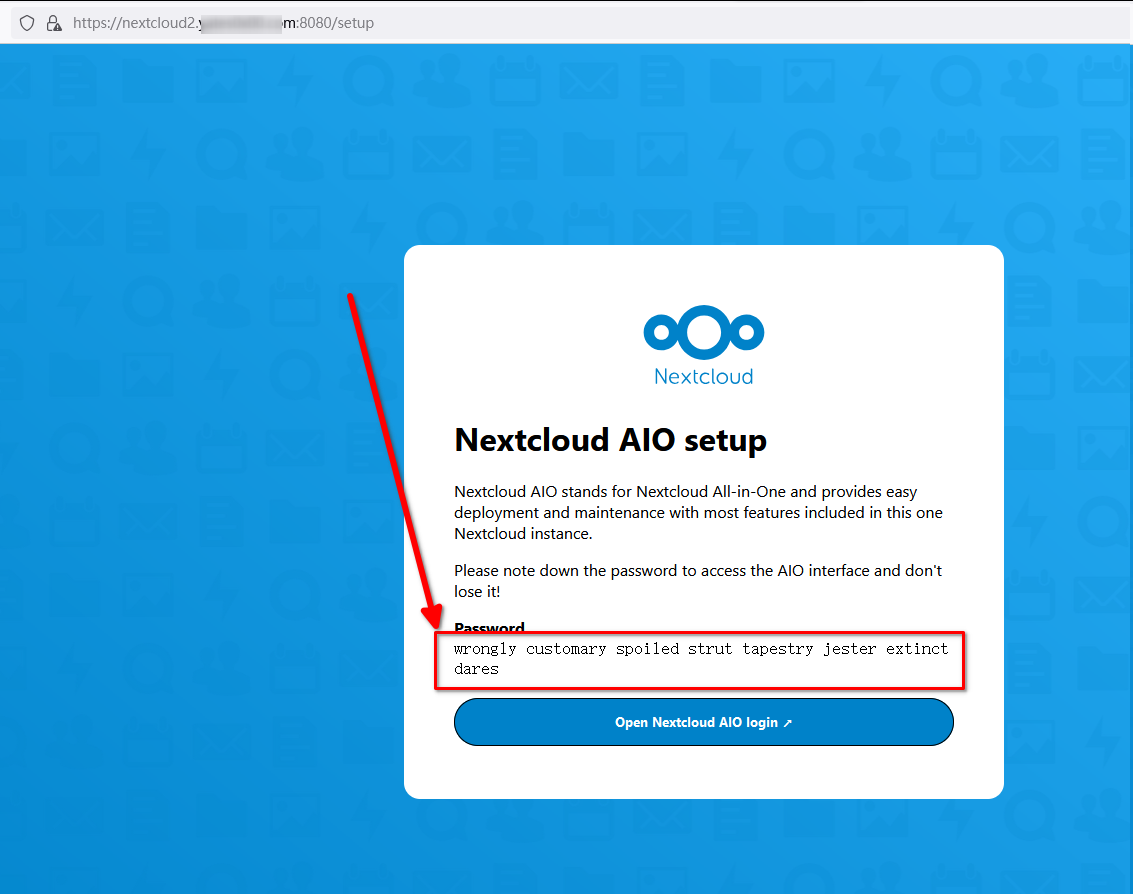
对于老版本,则是:
wrongly customary spoiled strut tapestry jester extinct dares
6. 登录了:
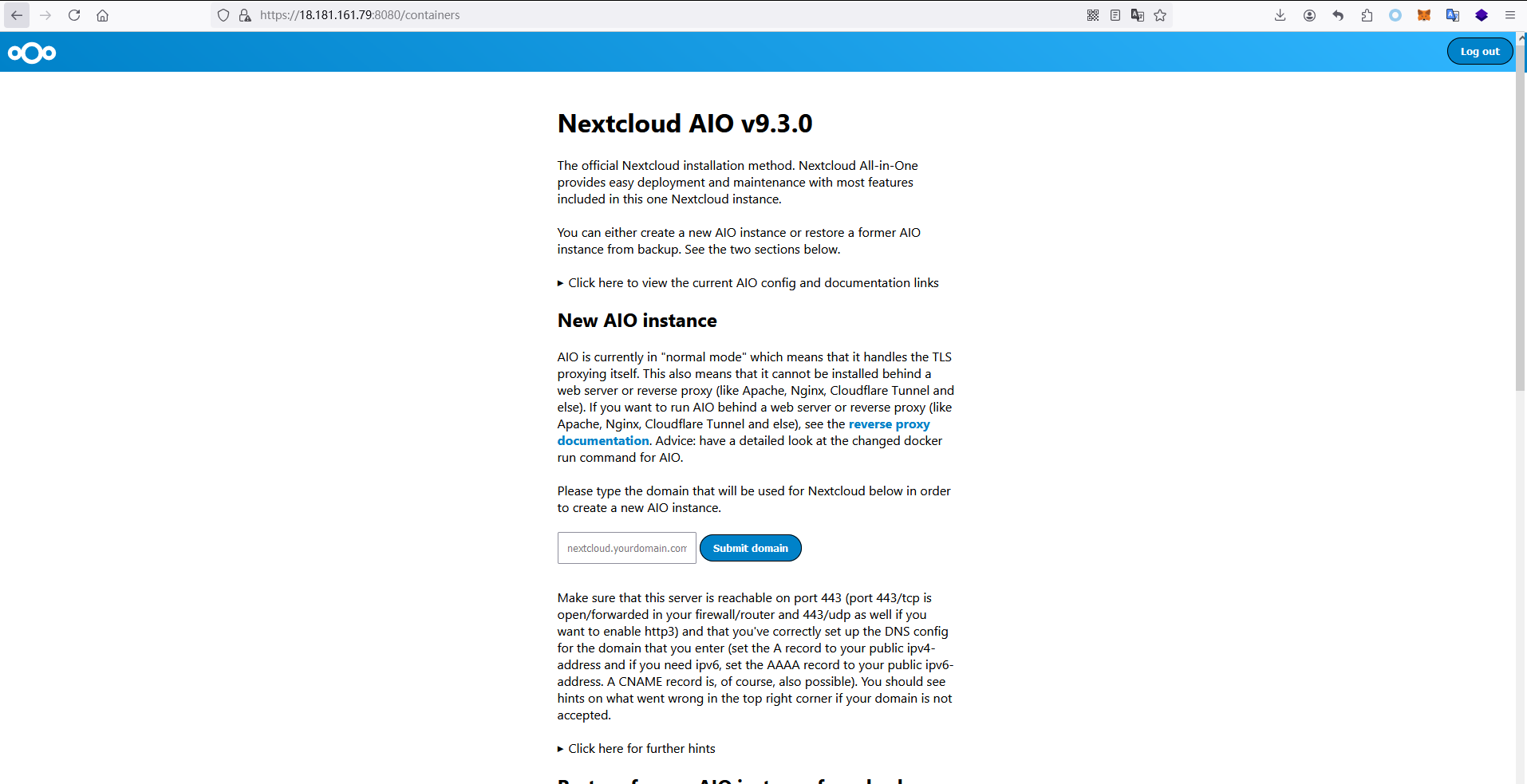
设置一下域名:
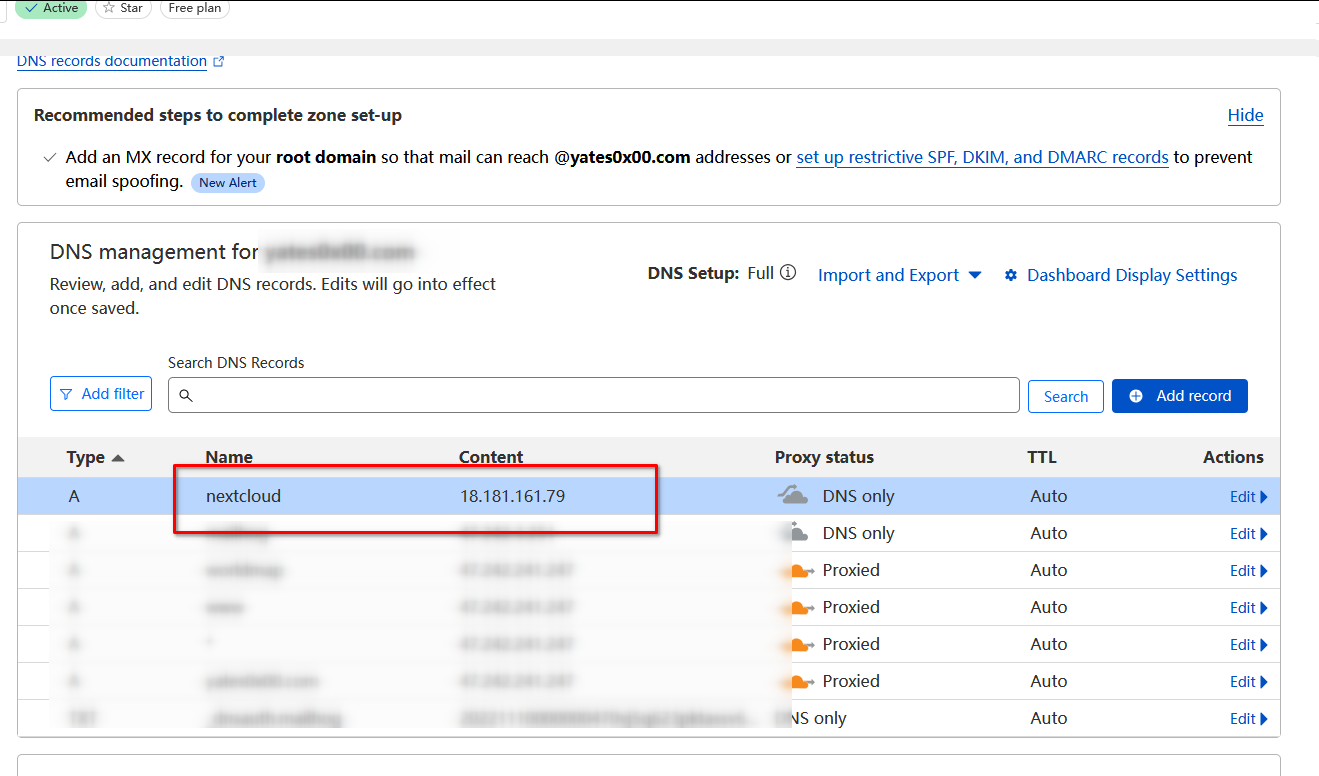
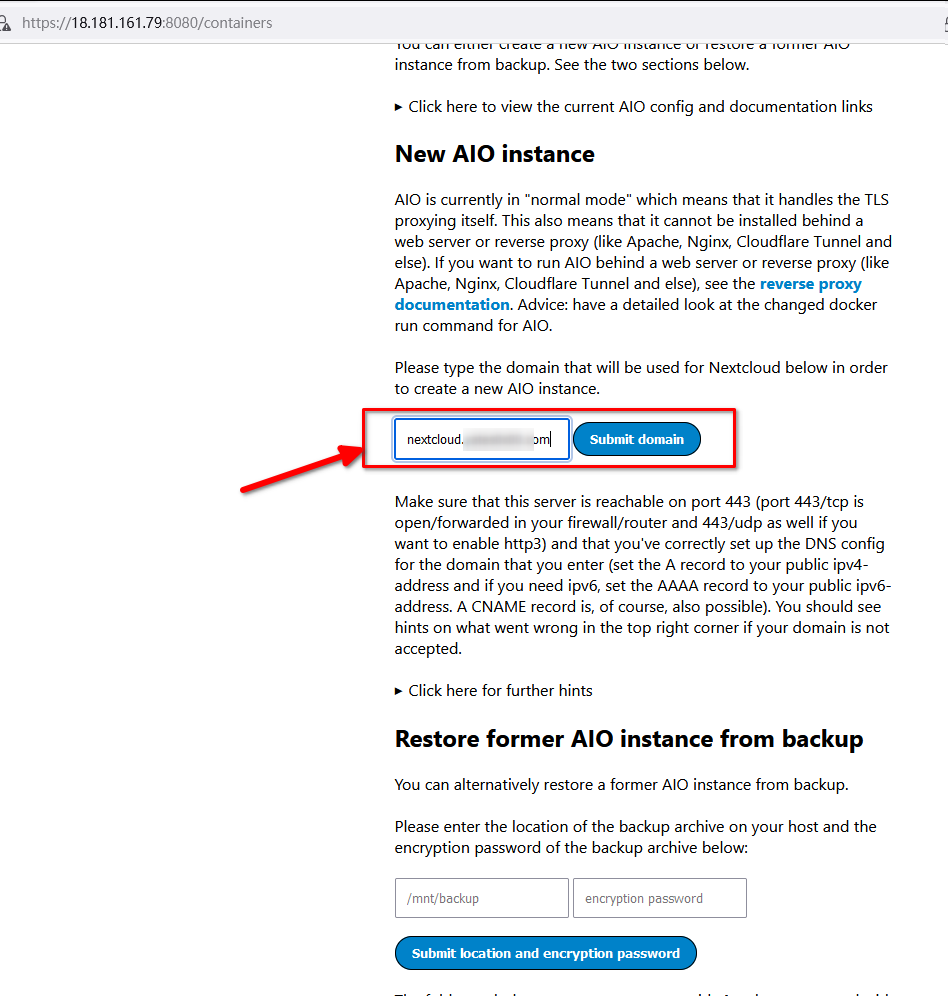
等10分钟左右,域名生效后,在网页中填入,并且 submit:
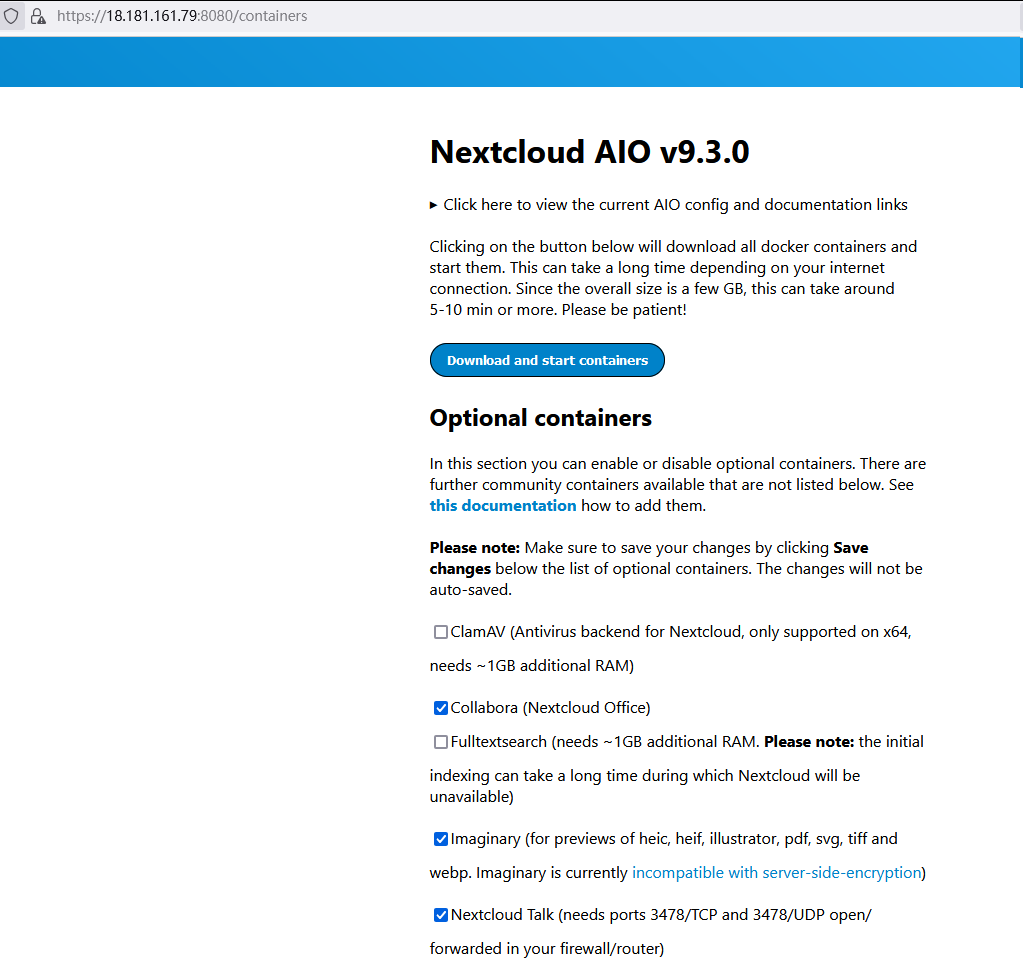
7. 点击 download and start containers
8. 等待一会。
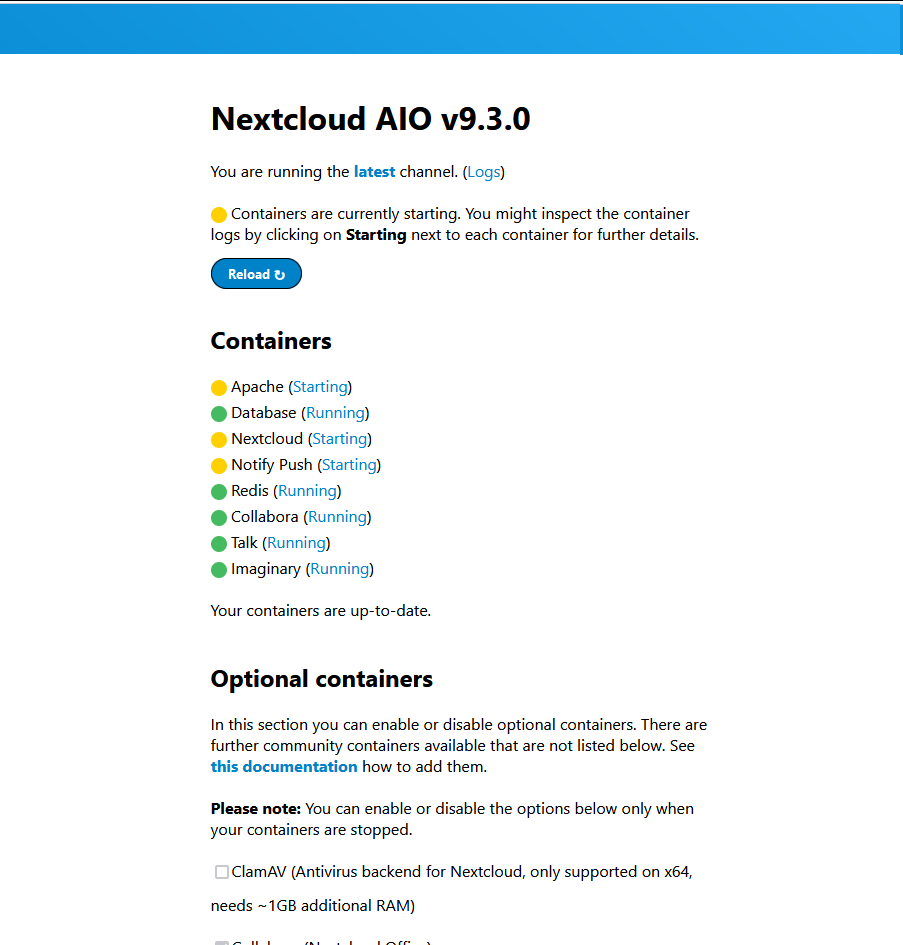
9. 再等一会儿。就可以看到用户名和密码
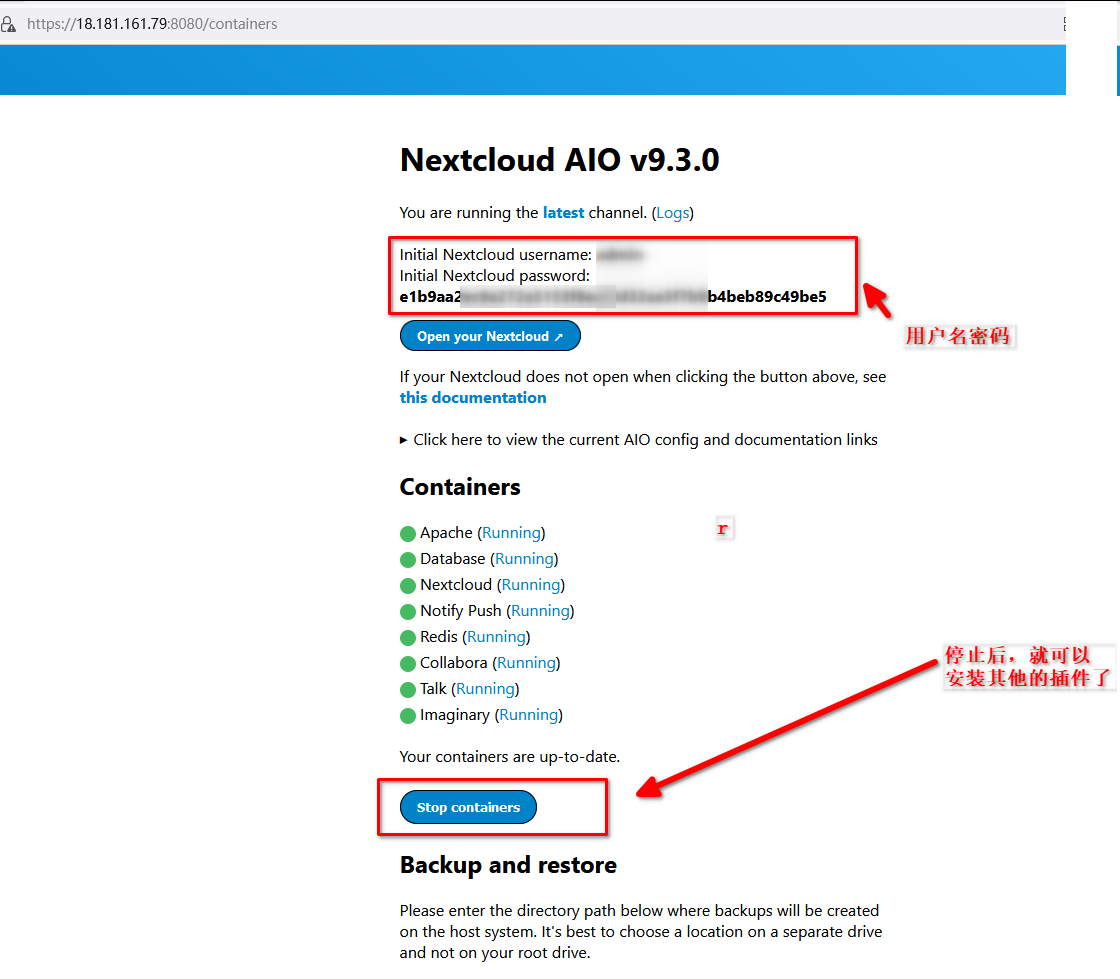
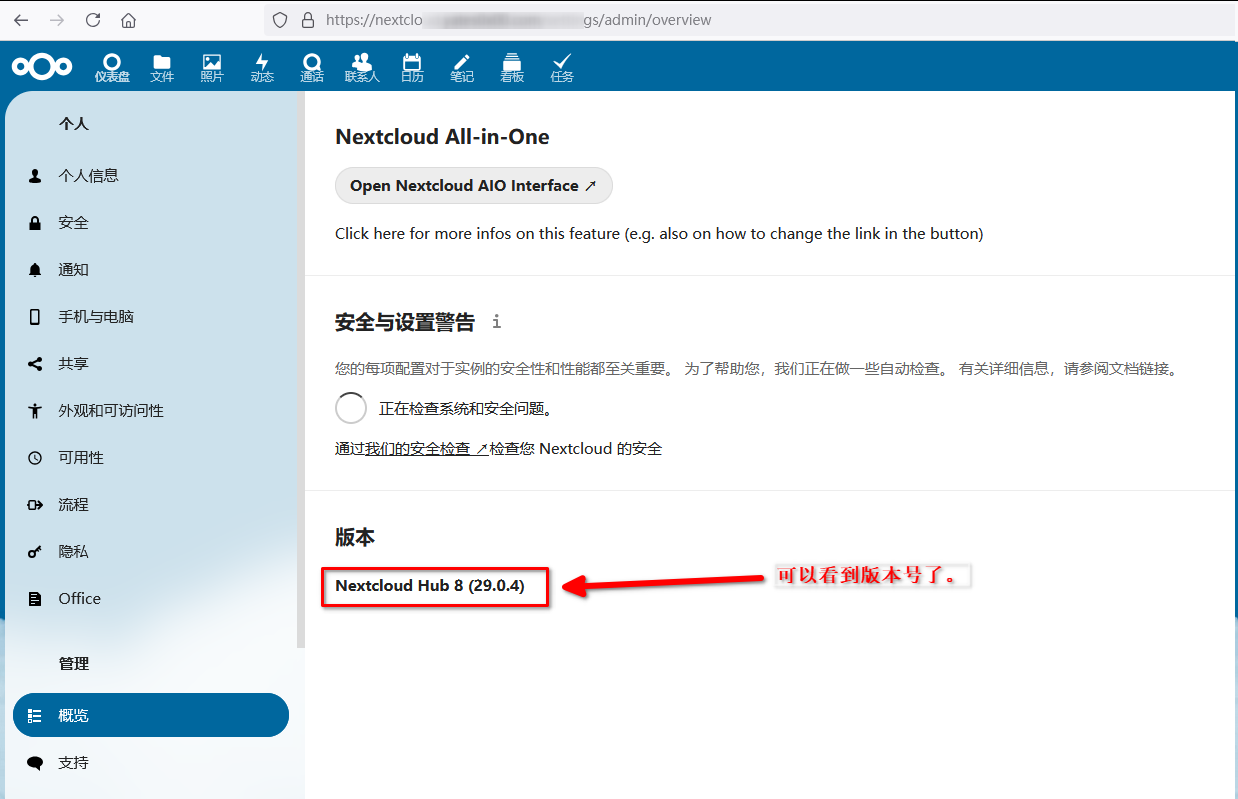
10. 然后就可以登录,
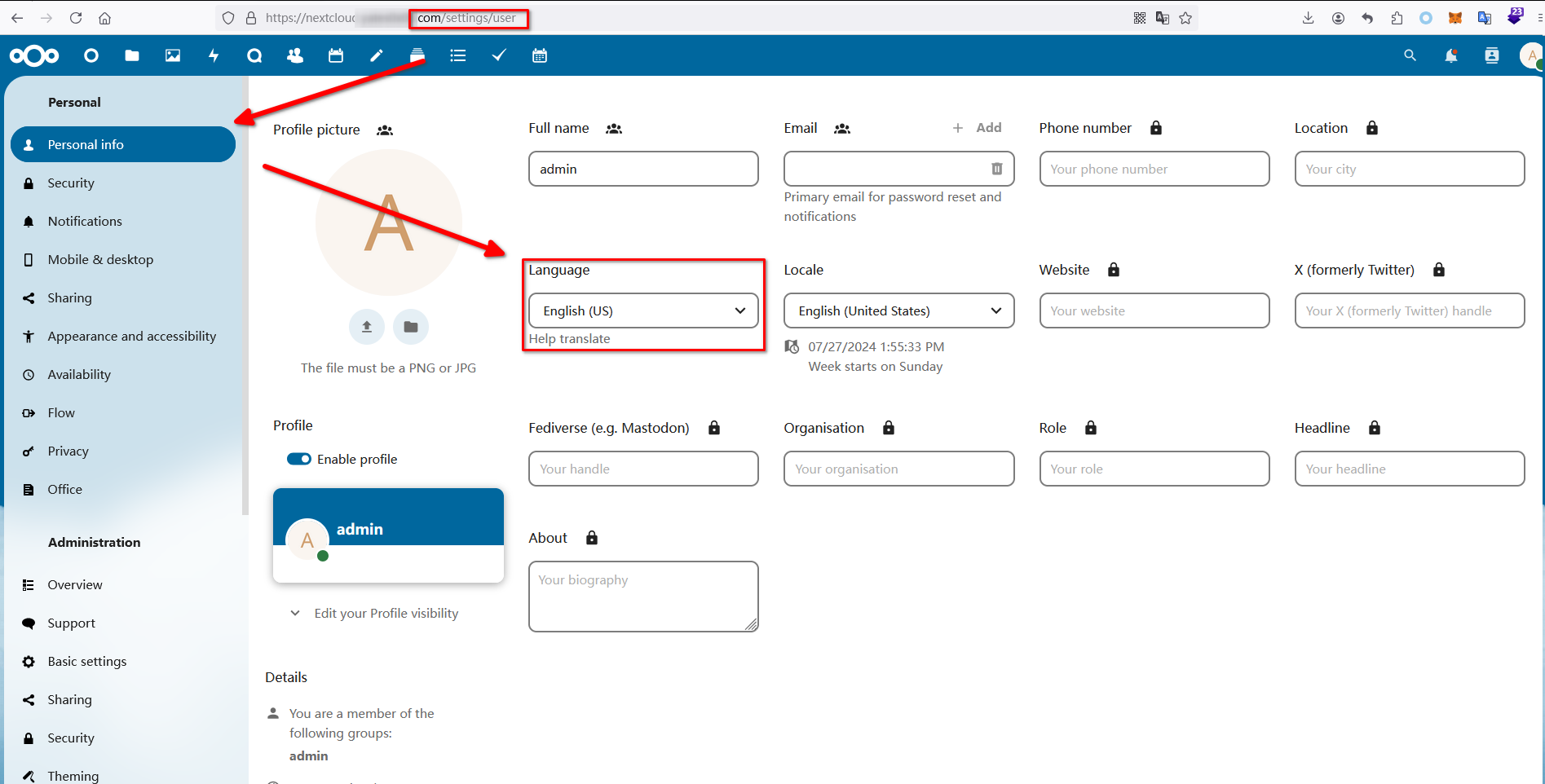
11. 修改语言为英文
设置 -> 个人设置
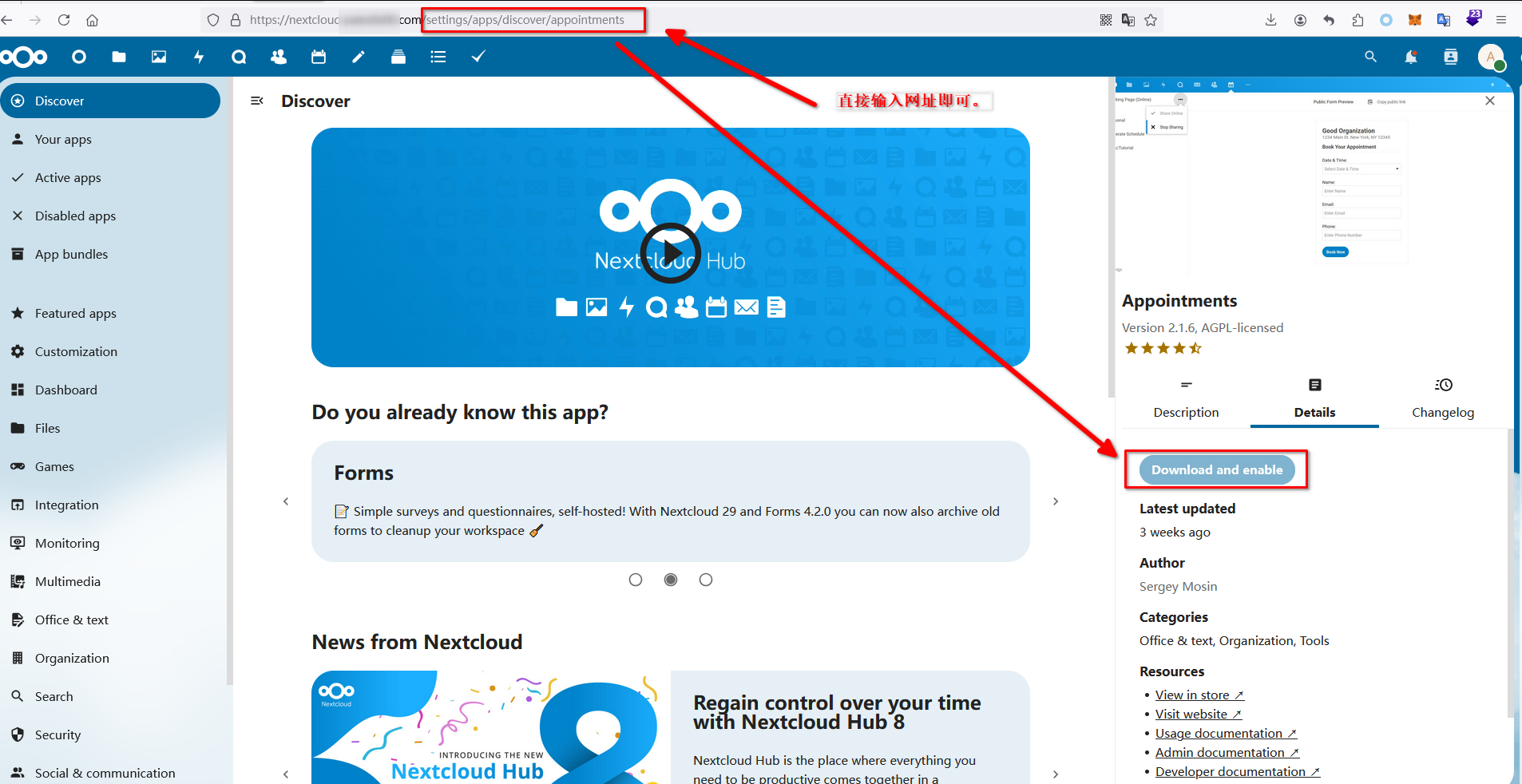
12. 安装其他app. 我没有找到搜索入口,但是可以通过网址直接输入:
13. 低版本的插件,需要用 vm的方式来测试了: