security - !!! jump server jumpserver 跳板机 linux 堡垒机
访问量: 81
refer to:
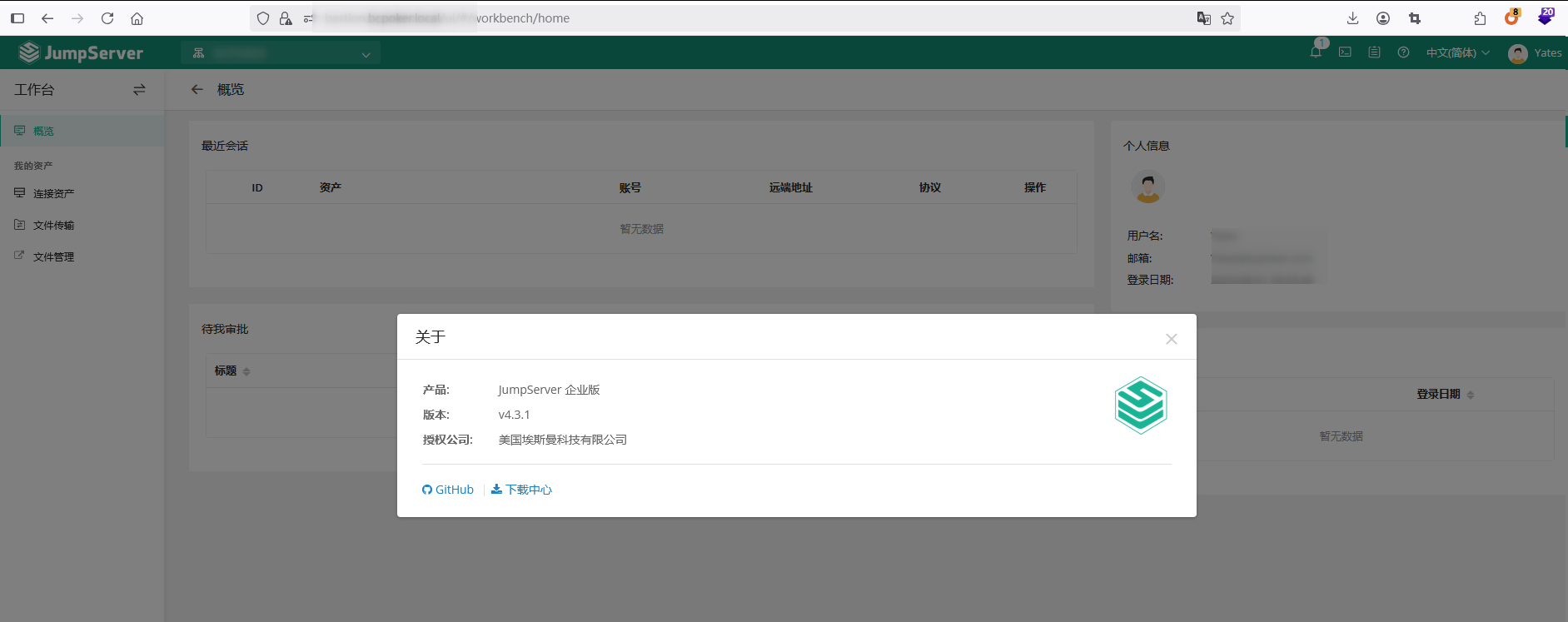
JumpServer 企业版 美国埃斯曼科技有限公司
https://github.com/jumpserver/jumpserver
硬件:4c8g. 我使用2c4g的,本次安装后卡死了。 运行时占用内存为3.1g
安装:
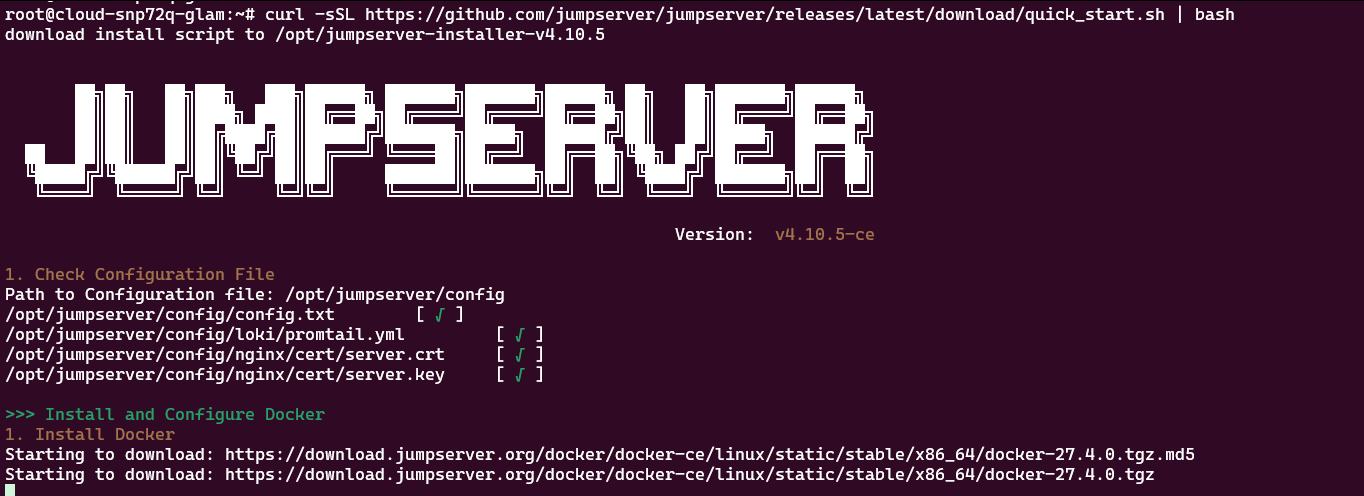
curl -sSL https://github.com/jumpserver/jumpserver/releases/latest/download/quick_start.sh | bash
然后打开 http://<ip>
Username: admin
Password: ChangeMe
登录后,修改密码,同意协议。
管理员创建资产
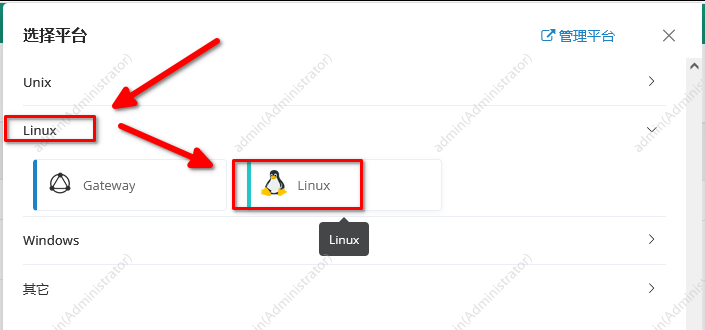
根据提示,输入IP,用户名,密码:
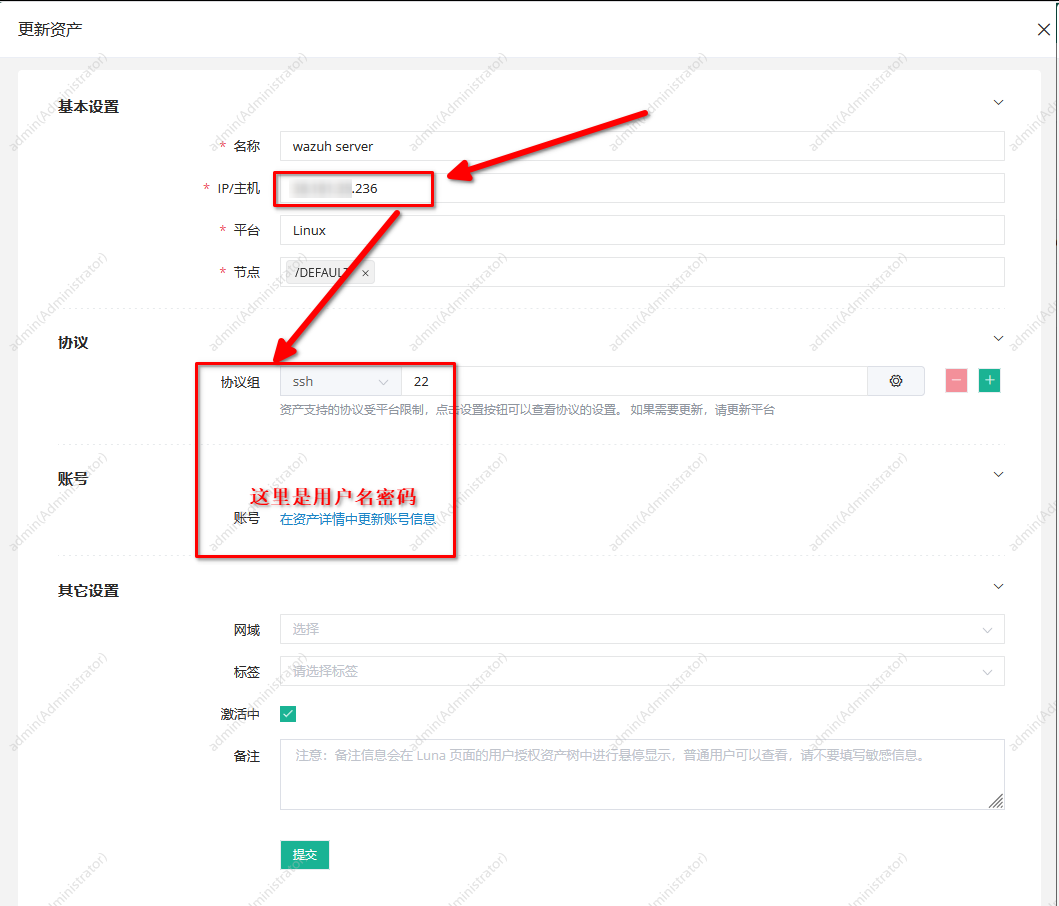
提交后,就看到资产了。

然后给用户授权,哪些用户可以登录那些服务器:
授权管理 -> 资产授权 -> 新建:
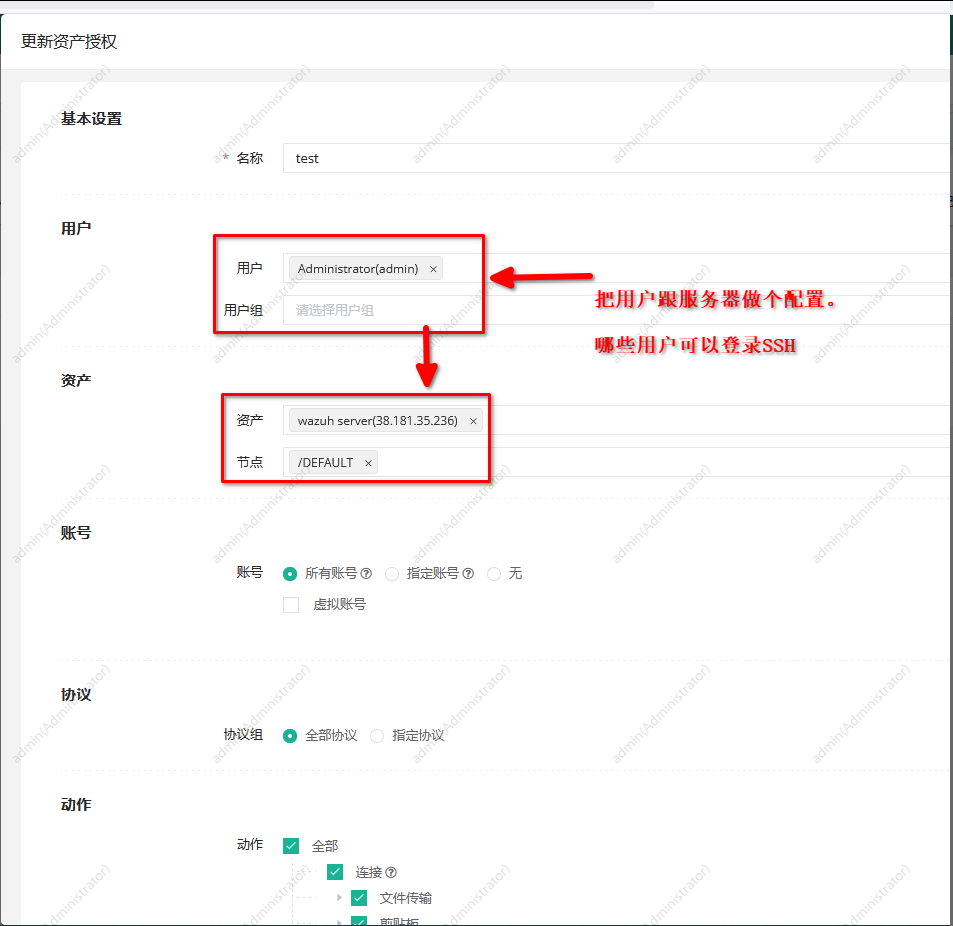
创建好之后,就可以登录了。
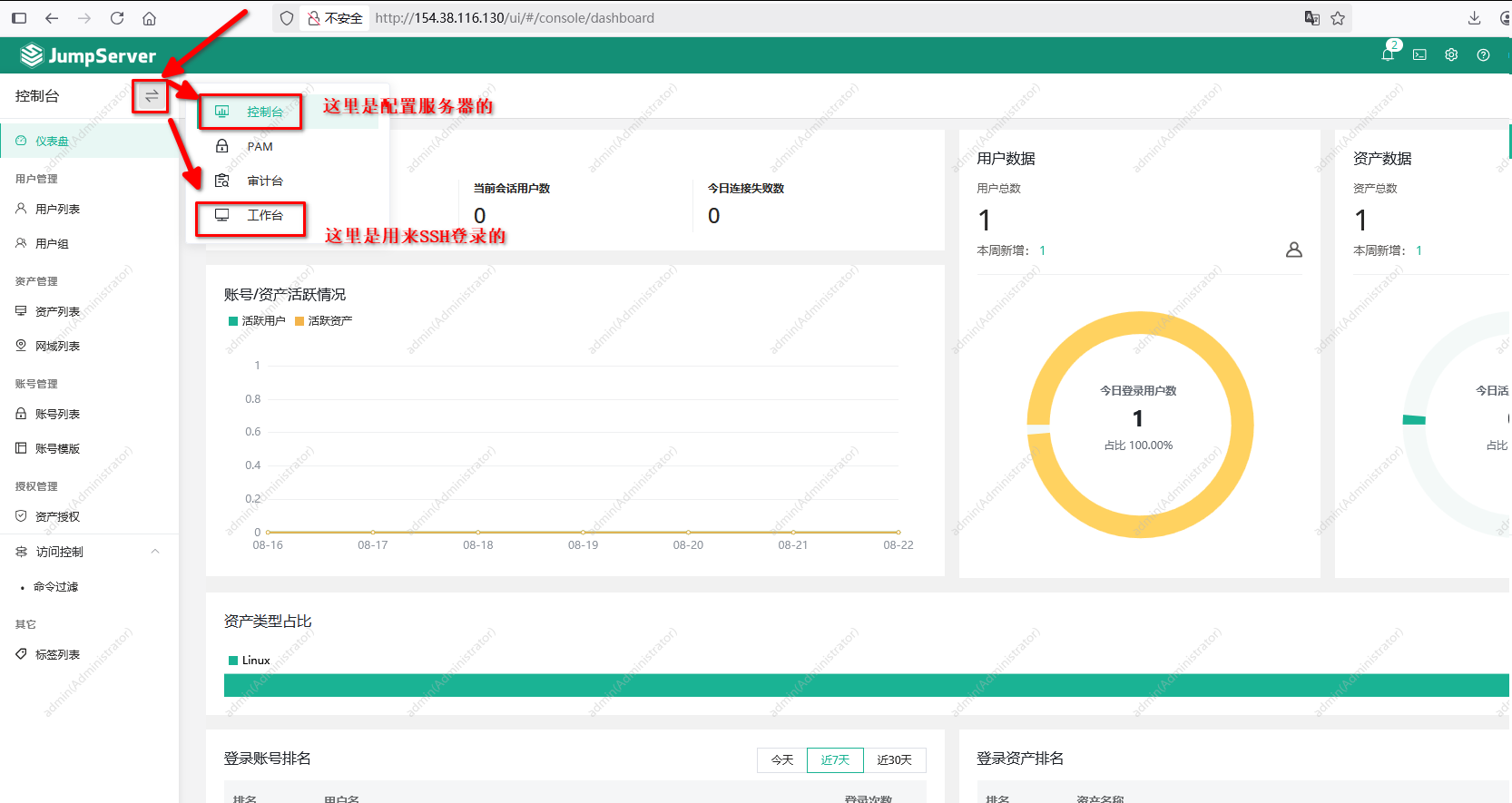
工作台,准备登录:
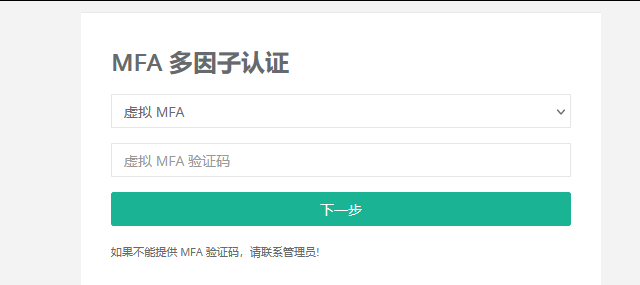
客户登录使用:
输入用户名密码,2FA:
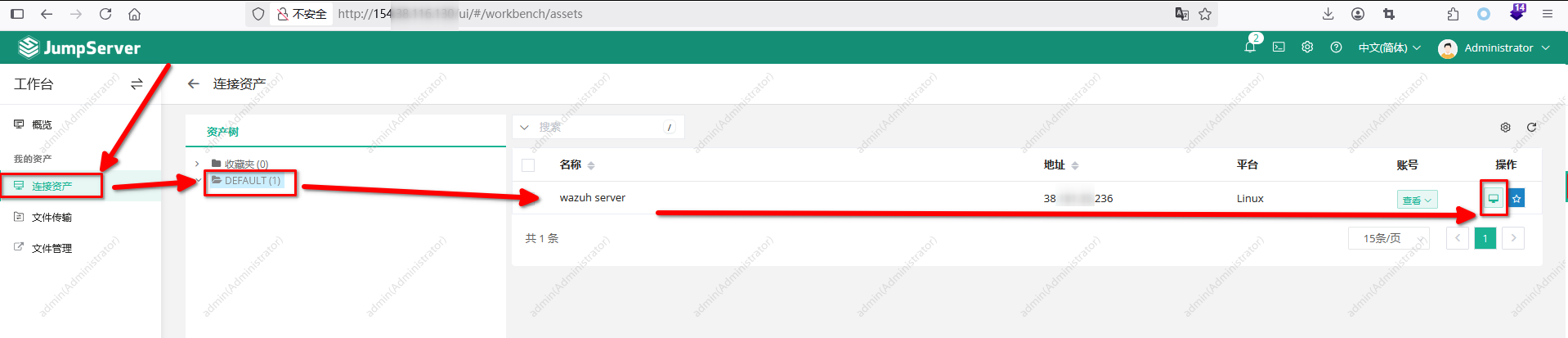
登录后,看到左侧菜单:
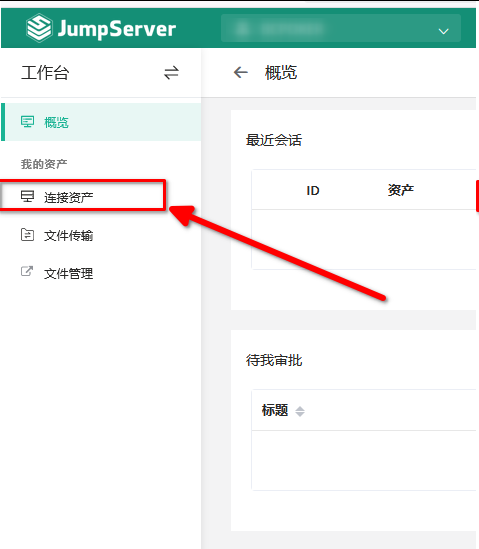
点击:连接资产
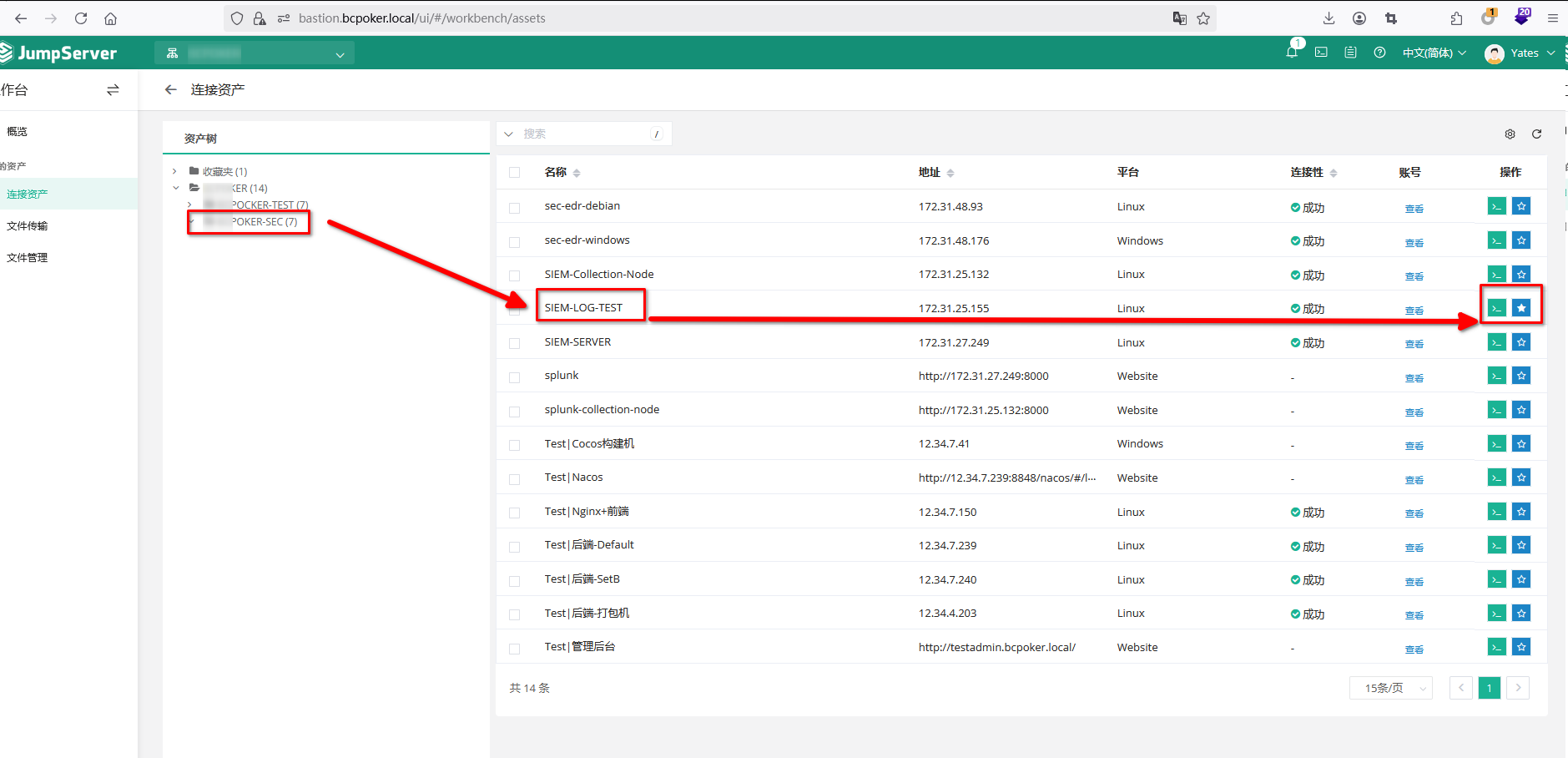
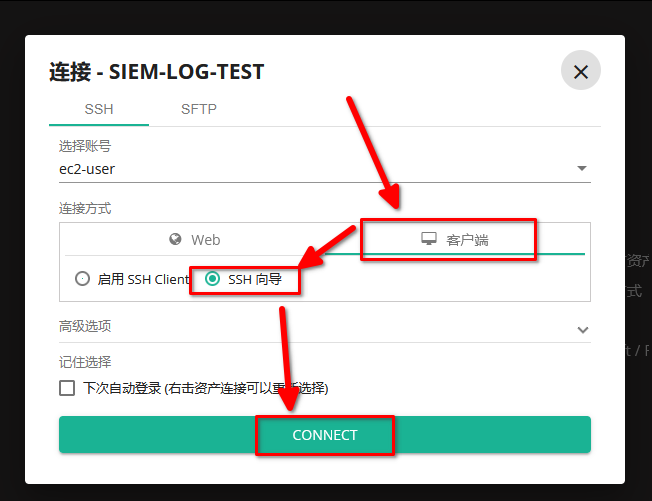
准备连接:
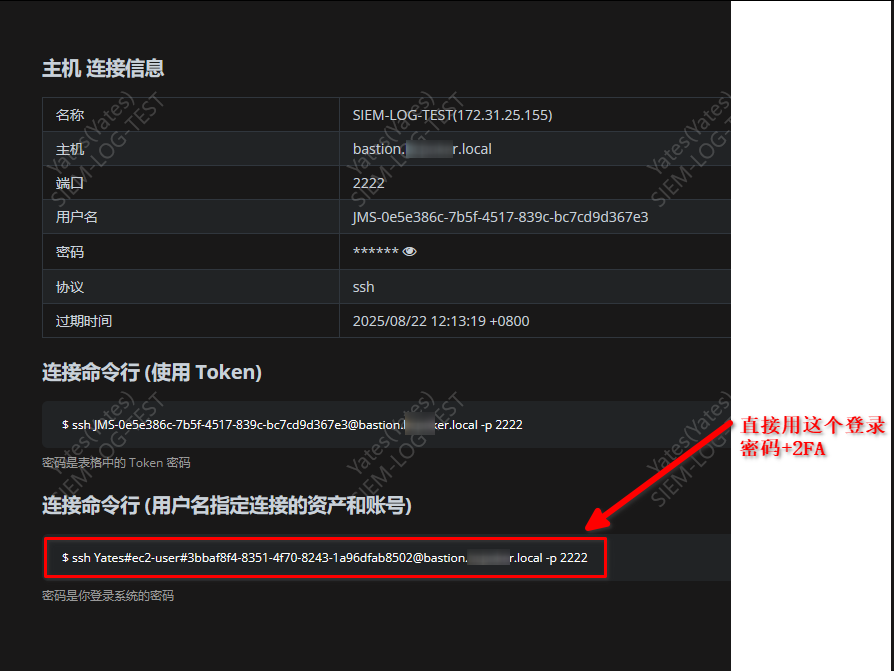
然后看这个:(下图中的SSH连接,大概有效期大于2天)
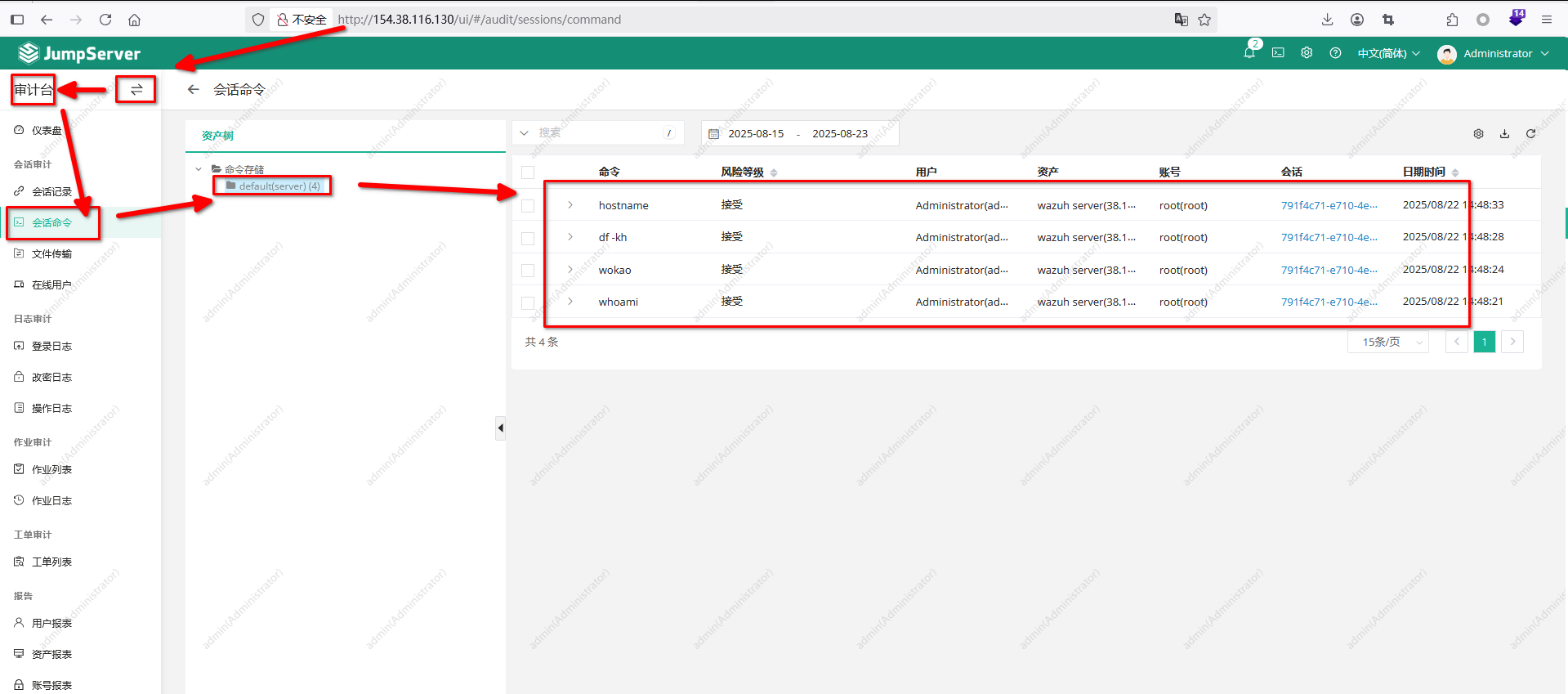
审计使用
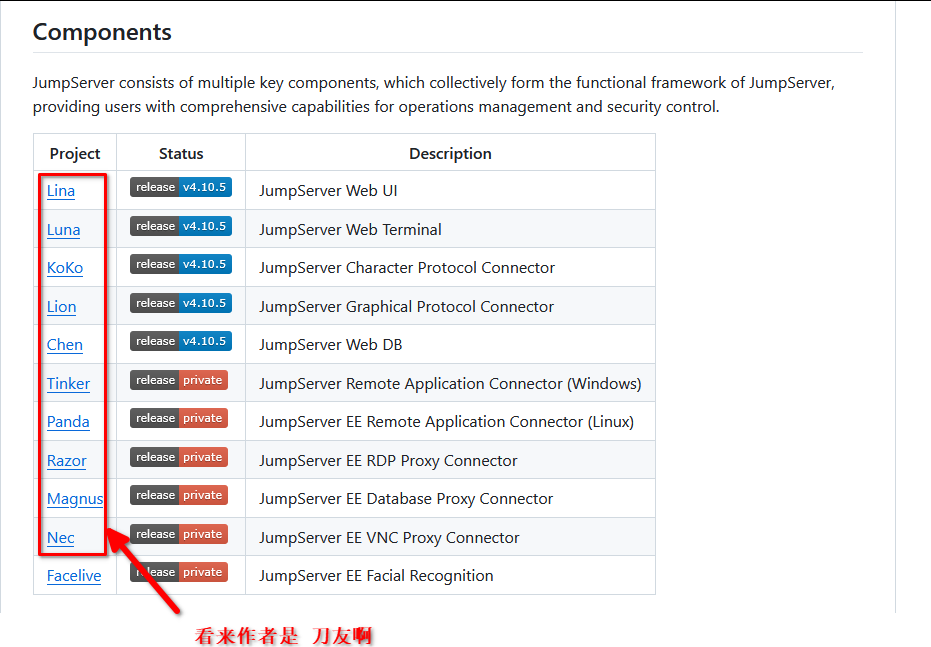
组件
其他:
关于SFTP: 需要 跟SSH设置同样的端口,这样只要可以SSH,那么就可以使用SFTP的功能
硬件:4c 8g. 安装时需要这样。运行起来后,2c4g差不多(3.1g的内存占用)。 所以2c4g安装时会卡死
下面是命令行的使用
>>> The Installation is Complete
1. You can use the following command to start, and then visit
cd /opt/jumpserver-installer-v4.10.14
./jmsctl.sh start
2. Other management commands
./jmsctl.sh stop
./jmsctl.sh restart
./jmsctl.sh backup
./jmsctl.sh upgrade
For more commands, you can enter ./jmsctl.sh --help to understand
3. Web access
http://198.xxx.168:80
Default username: admin  Default password: ChangeMe
 More information
Official Website: https://www.jumpserver.com/
Documentation: https://www.jumpserver.com/docs